
Always going above and beyond
Since 1943, we’ve helped our neighbors and communities grow and prosper. Let's see what we can do together.

We're here to grow together
We have deep roots in the places where we live and work, and a history of making a real-world difference in the communities we call home.

Over 80 years of banking with purpose
There's more to your business than banking

How farmers can make the most of their data
Managing a pile of data that could fill a grain bin is no easy task especially when you need to be out in the field or in the shop. Here’s how you can make the most of your data.
Agriculture Insights


Debt refinancing for small business
The pandemic forced many businesses to take on additional debt as they tried to survive. As the economy continues to recover, they may consider refinancing their debt. Here are some considerations.
Business InsightsCustomer Story: Connect Interiors
Learn how Connect Interiors, a newly certified women-owned business has overcome challenges during the pandemic and labor shortage.
Business Insights


What to do if your business suffers a cyberattack
As a business owner, you do your best to follow basic cybersecurity practices. But one day it happens, your business or a vendor is hit with a cyberattack. What you do during and after the attack is critical.
Business Insights

Proud to be named a Best-In-State Bank
In a survey of more than 25,000 bank customers across the United States, Bremer Bank emerged as a Best-In-State Bank based on customer satisfaction, branch services, trust and more.
Knowledge that gives you the power
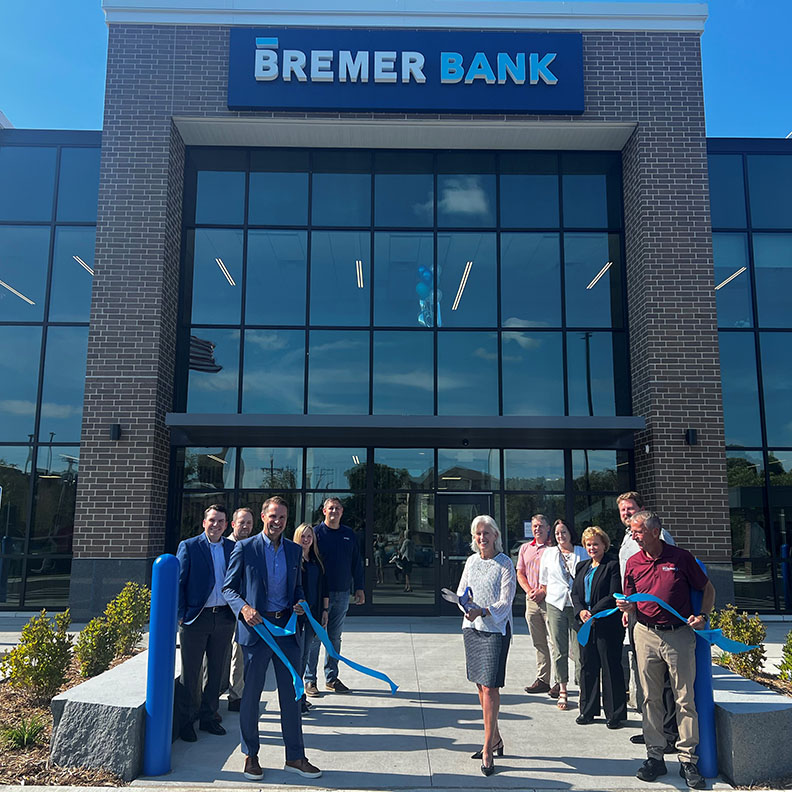
Bremer Bank celebrates grand opening at former St. Cloud City Hall site
Business and community leaders today celebrated the grand opening of a historic, well-known piece of property in downtown St. Cloud, anchored by Bremer Bank.
News Articles